Mark Bridge writes:
This was going to be my best-ever mobile phone review... and I wasn’t even going to use the handset. But all my plans fell apart because my mother wouldn’t let me do it.
Don’t get me wrong, I hadn’t planned an elaborate ‘theatre-not-journalism’ piece of creative writing and I’m not tied to anyone’s apron strings. I was going to give mum a mobile phone to test.
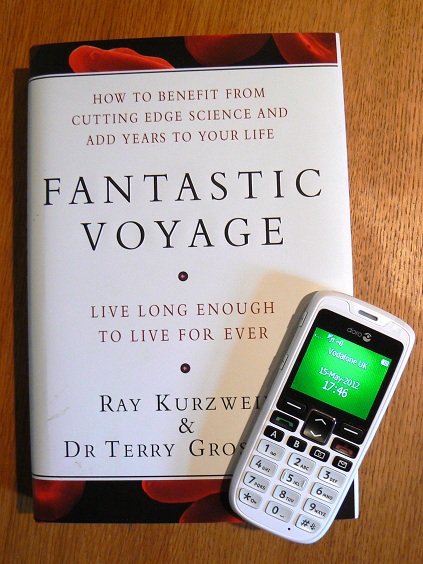
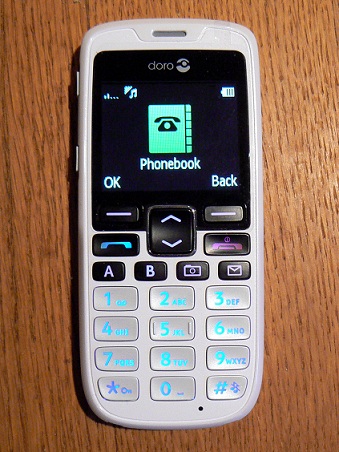 I’d been sent the Doro PhoneEasy 515. Doro develops telecom products “specially adapted to the growing worldwide population of seniors” - and this particular product was, according to the packaging, an “easy mobile phone with camera”.
Now, let me offer a few words about my mother. Mrs Bridge is, as you’d expect, a little older than me. She insists that age is just a number, albeit a number she’d rather not reveal. I think it’s safe for me to say she retired a few years ago. Any more detail and I’d be in trouble.
Anyway, mum has a background in telecommunications, having left school to work for ‘Post Office Telephones’ before it became BT. I thought she’d be the perfect reviewer. So I asked if she’d like to try my easy mobile phone.
“No way!”, she said, before muttering something about ‘old people’ and warning me that I wasn’t too big for a clip round the ear.
And that, I think, is one of the biggest challenges facing the Doro PhoneEasy 515 (along with its PhoneEasy 505 and 510 siblings). Rather like booking Saga holidays or buying an aluminium walking stick, choosing a phone that’s designed to give you a helping hand can remind some people about an aging process they don’t want to admit.
Mum wouldn’t admit to suffering anything age-related. She’s never watched “Dickinson's Real Deal”. Heck, she doesn’t even own a Daihatsu Charade.
With mother declining the opportunity to review the phone, I turned to her eldest son. Me. I made myself a nice cup of tea, buttered a scone and sat down at the kitchen table. Next, I whipped the SIM out of my Nexus S smartphone and slipped it into the PhoneEasy; the battery was around three-quarters charged, which would do me nicely.
That was five days ago. My SIM is still in the phone and the battery charge hasn’t dropped below half.
Of course, it’s easy to gloat about battery life when your phone 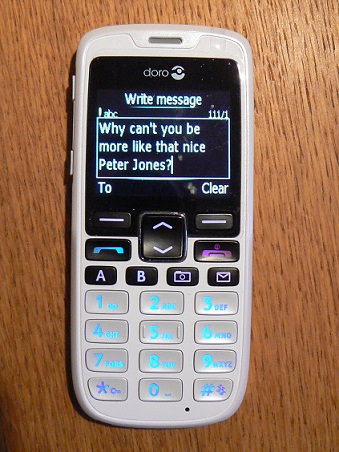 isn’t doing much. No Angry Birds. No Foursquare. In fact, no internet browser. But mum’s never bothered with that stuff anyway. She checks her email on the PC at home.
What this phone does offer is a simple start-up wizard, a colour display (with text/background combinations that are especially good to read), a 2-megapixel camera, a couple of quick-dial buttons, an FM radio, a torch and an emergency button on the back.
Text and picture messages are supported - and you’ll also find ‘voice messages’ as an option for those who don’t like using the keypad to write. A ‘voice message’ is simply sending an audio file as a multimedia message; something possible on many phones but rarely a standalone function. Yes, the PhoneEasy lives up to its name.
For those who fancy getting a little techy - no, not tetchy, mother - a USB cable offers drag-and-drop photo, video and music transfer (into 11.9MB of built-in memory or an optional microSD card). And authorised friends or family can even update the phonebook remotely by sending specially-coded text messages. The hard work is done by them, not by the person with the phone!
The emergency function does exactly what you’d hope it would. First, you store a telephone number - maybe your eldest son, assuming you’ve not disinherited him - or perhaps a combination of friends, relatives and Phillip Schofield.
 When the button is pressed it’ll send a text message to all the numbers in your emergency list. It’ll then call them in sequence, having automatically activated the loudspeaker on the phone. There are various options for setting up the button and the list of emergency numbers but I’m sure you get the basic idea.
Other features that mum really wouldn’t like include the ability to choose above-average volume levels for calls and an ‘In Case of Emergency’ memory to store your medical details for the paramedics.
Best of all, it doesn’t have the look of a fogeyphone. Sure, it’s a clean, straightforward design but it doesn’t shout ‘vision impaired’ at you. (Not that shouting ‘vision impaired’ would make much sense).
My only real grumble was when using the phone’s file manager, which is the route to any music, videos and pictures you add. The menu system has bright, obvious icons for almost everything except your files, which are tucked away under ‘settings’. Still, that’s hardly a deal-breaker. I imagine most users won’t be bothered.
Ultimately, I really liked the phone. I’d like mum to have one. And I’m convinced that she would appreciate it, too.
Perhaps I’ll have another go at persuading her to give it a try. All I need to do is hide the box.
| I spoke to Chris Millington, Doro’s MD for UK & Ireland, earlier this year at Mobile World Congress. You can listen to the interview (which starts at 3:35) via the built-in audio player on our website or by downloading the MP3 file. |